
All classes › Digital Design / Photography
Photoshop for Photographers 101
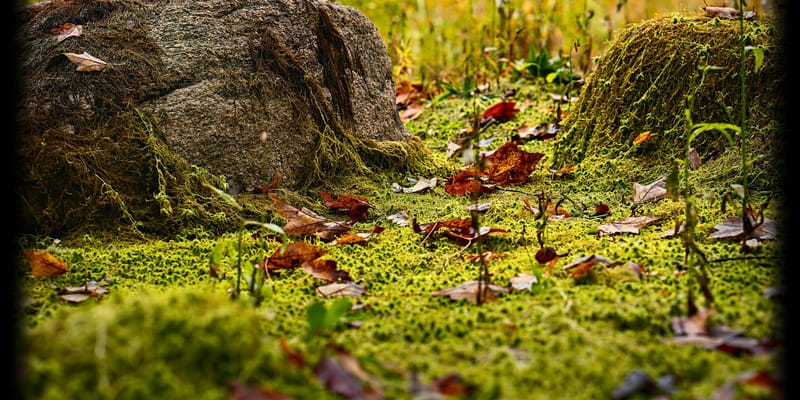
Photoshop for Photographers will help you maximize the impact of your photos, tell your photo's story, and express your creative vision.
- Shop: Digital Design / Photography
- Price: $90
- Materials fee: $10, paid to the instructor at the first meeting
- Instructor: Bill Morse
- Last offered: Friday, June 19
Upcoming dates
This class isn’t scheduled right now. Get an email when Digital Design / Photography adds a class.
Past date
-
Friday, June 19
6:00PM - 9:00PM
About this class
This is the first in a series of one-day classes in Photoshop for Photographers.If you’re concerned that your print of a wonderful scene seems so flat, then this course is for you! We see the world in high contrast- it’s how our vision evolved, to find the bunny in the field! But your print on the wall has less than 20% of the contrast of an outdoor scene. The print is never a re-creation of the world; at best it is a pale imitation!
Photoshop for Photographers will show you how to put the contrast where you want it, while reducing contrast in the secondary/tertiary areas, to accentuate the story of your photograph. Importantly, you will also learn how to iteratively edit your photos: make a change, review it either in PS or a proof print, and then know exactly where to go and what to do to make your needed re-edits. And then do it again until the print realizes your vision.
This first class will focus on Adobe Raw, in particular, correcting the white (color) balance (WB). If WB is wrong, all other color adjustments will be difficult or impossible. We will then begin to work on contrast in the image.
What you’ll learn
- Editing a photo is all about contrast.
- Know how to establish and answer "What is the story of your photo?"
- Use contrast to tell the viewer where to look, and avoid distractions!
- Use a step by step procedure to put the contrast where you want it, reduce contrast in 2nd/3rd areas to accentuate the Center of Interest (COI).
- Reduce/eliminate distracting areas from the image to protect the COI.
- Identify Center of Interest (COI)
- Correcting the white balance (WB). If it's wrong, all other color adjustments will be difficult or impossible.
- Begin contrast adjustments in Adobe Raw with: Exposure, Highlights, Whites, Blacks, and Clarity tools.
- Further contrast adjustments with step-by-step procedure using Curves in PhotoShop.
Who it’s for
Students prepared with 3 un-edited Images to open in PS as 'smart objects'. Best raw but in any format. No edits in Lightroom! Students must be 16 years or older. If under 18, students must be accompanied by an adult.
Ticket includes
- Use of Photoshop Software during the class.
- Access to A2's Digital Design and Photography shop and tools for the duration of the session.
Instructor: Bill Morse
William Morse has taught Photoshop to photographers for over 15 years. He studied Photoshop with Dan Margulis, the author of the Professional Photoshop series of books, and has developed and modified Margulis’ approach to editing photographs. A “reformed” architect, he studied photography at the Boston Architectural Center (BAC), the Art Institute of Boston (now Leslie Univ.), and at the Griffin Museum. Twenty-five years ago, he discovered the early 20th century Chinese photographic archive of his grandfather William Leete. At first mainly interested in restoring and printing his grandfather’s photos, he soon re-discovered his own love for photography. He now photographs the natural world.
Hear about new Digital Design / Photography classes
See how to get an email when Digital Design / Photography adds a class.