
All classes › Digital Design / Photography
Lightroom 101: Learn to Organize and Find Your Photos
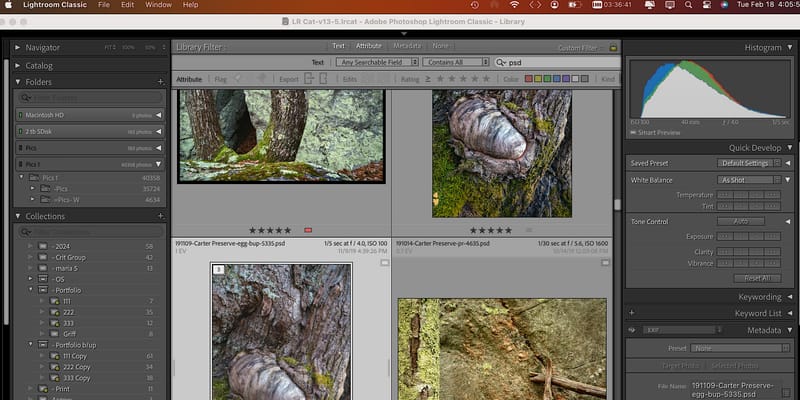
Find images based on a variety of different criteria and edit your photos without spending all day looking for them!
- Shop: Digital Design / Photography
- Price: $60
- Materials fee: $10, paid to the instructor at the first meeting
- Instructor: Bill Morse
- Last offered: Tuesday, May 12
Upcoming dates
This class isn’t scheduled right now. Get an email when Digital Design / Photography adds a class.
Past date
-
Tuesday, May 12
6:00PM - 9:00PM
About this class
If you're like Bill, you have (or have had) 1000's of photos in many or worst case 1 folder that you've taken over many years. Now you want to find an image for a show, presentation, or just to send to your Grandma. You start flipping through your photos, and soon give up in despair! Or worse, you select an image, but not the best one.
Lightroom is the best tool available to organize your photos: As you import photos into Lightroom you will rename them, assign a unique index number so you can always find multiple iterations of the same image, and organize them by date, place, shoot name, and/or subject matter. Now you can find them. You will also rate them so that the best images from any shoot are easy to find, while the rejects get deleted and you never have to worry about them anymore.
This is the first of a planned 2 part series class; we will focus on importing and organizing your photos so you can find the important photos when you need them! The second optional session will focus on further organizing your photos, for example: creating and exporting a portfolio selection from photos from multiple dates, locations, and shoot names.
The Instructor will schedule guided "mentoring" sessions for both PhotoShop and Lightroom to practice what you have learned in class as needed or at request! Email education@artisansasylum.com for more details.
What you’ll learn
- Organize your photos in Lightroom;
- Import from computer or card
- Assign shoot name, date, index number, other info
- Automate this process
- Find images based on date, location, shoot name, image index number, and/or subject matter.
- Get ready to edit your photos without spending all day looking for them.
Who it’s for
Students with a USB C drive with 2-5 recent groups (shoots) of photos. In addition, photos can also be on an SD drive. Photos should be straight from camera or phone, preferably in raw format, although any format is acceptable. Bring a small or medium sized notebook. Contact the instructor with questions. Students must be 16 years or older. If under 18, students must be accompanied by an adult.
Ticket includes
- Use of Lightroom Software during the class.
- Access to A2's Digital Photography & Design Shop and tools for the duration of the session.
Instructor: Bill Morse
William Morse has taught Lightroom to photographers for over 15 years. He studied Photoshop and Lightroom with Dan Margulis, the author of the Professional Photoshop series of books, and has developed and modified Margulis’ approach to editing photographs. A “reformed” architect, he studied photography at the Boston Architectural Center (BAC), the Art Institute of Boston (now Leslie Univ.), and at the Griffin Museum. Twenty-five years ago, he discovered the early 20th century Chinese photographic archive of his grandfather William Leete. At first mainly interested in restoring and printing his grandfather’s photos, he soon re-discovered his own love for photography. He now photographs the natural world.
Hear about new Digital Design / Photography classes
See how to get an email when Digital Design / Photography adds a class.